Phakanan - Developer Portfolio
Backend Developer | Spring Boot | Kotlin | Database Optimization
🛡️ Lab 5.2.7 — Configure a Security Appliance
หลักสูตร: IT Security Administration ระดับ: Network Infrastructure Security
บทบาท
คุณเป็น ผู้ดูแลระบบความปลอดภัยด้านไอที (IT Security Administrator) สำหรับเครือข่ายองค์กรขนาดเล็ก ภารกิจ: กำหนดค่าอุปกรณ์รักษาความปลอดภัยเครือข่าย pfSense
งานที่ต้องทำ
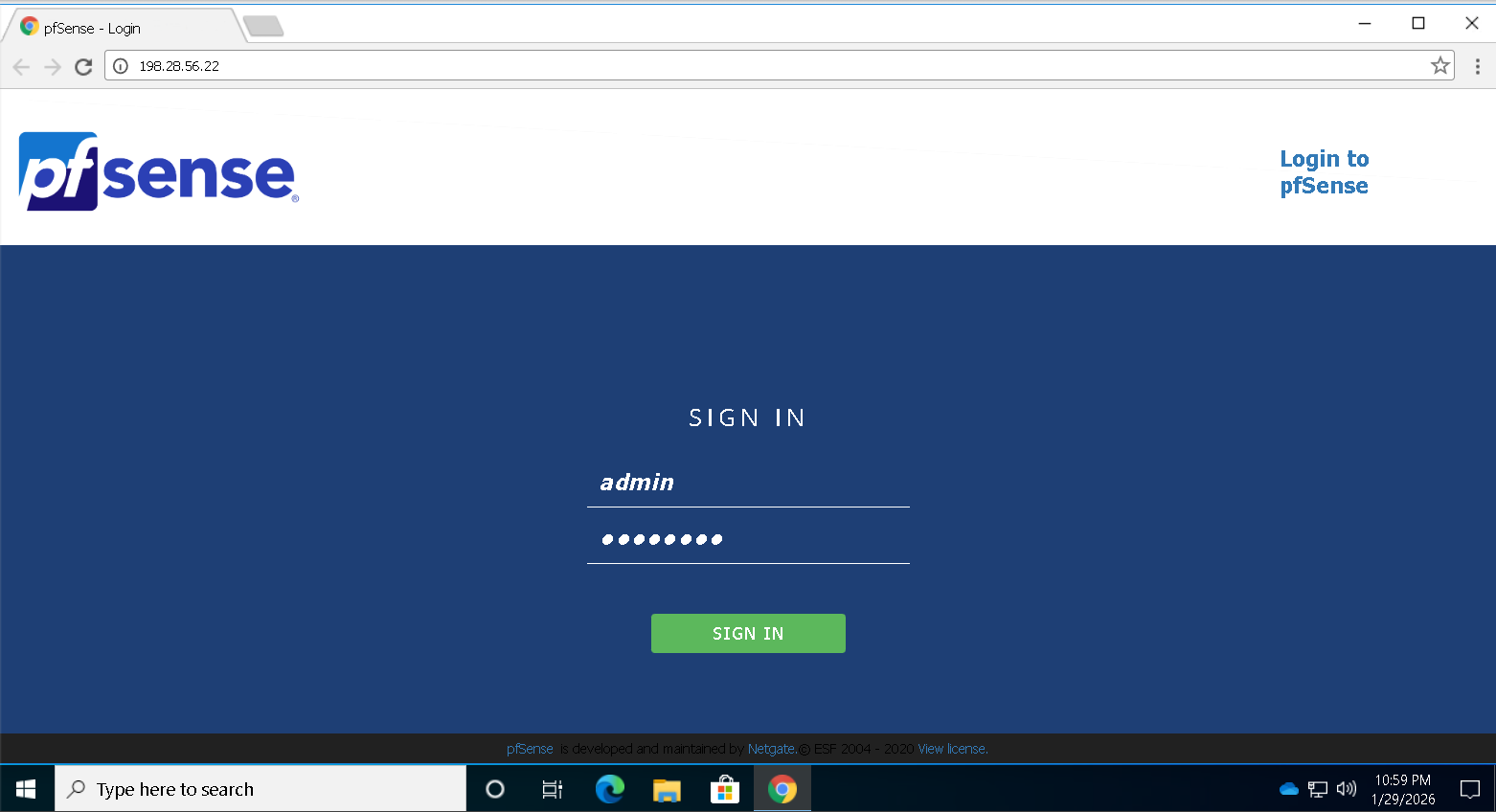
✅ ภารกิจที่ 1 — เข้าสู่ระบบ pfSense
| รายการ | ค่า |
|---|---|
| URL | http://198.28.56.22 |
| Username | admin |
| Password | P@ssw0rd |
✅ ภารกิจที่ 2 — กำหนดค่า DNS Server
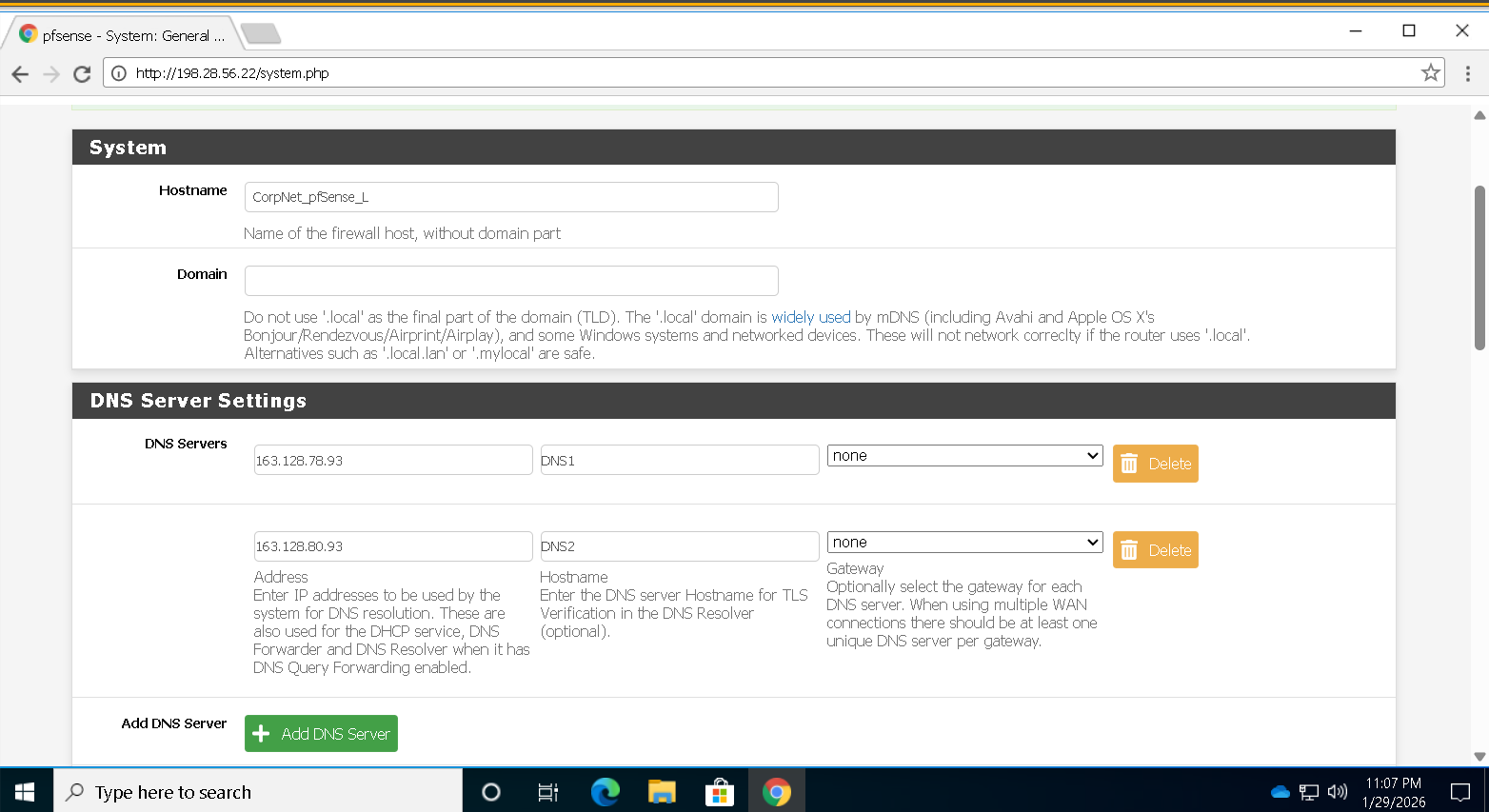
Primary DNS Server
| รายการ | ค่า |
|---|---|
| IP Address | 163.128.78.93 |
| Hostname | DNS1 |
Secondary DNS Server
| รายการ | ค่า |
|---|---|
| IP Address | 163.128.80.93 |
| Hostname | DNS2 |
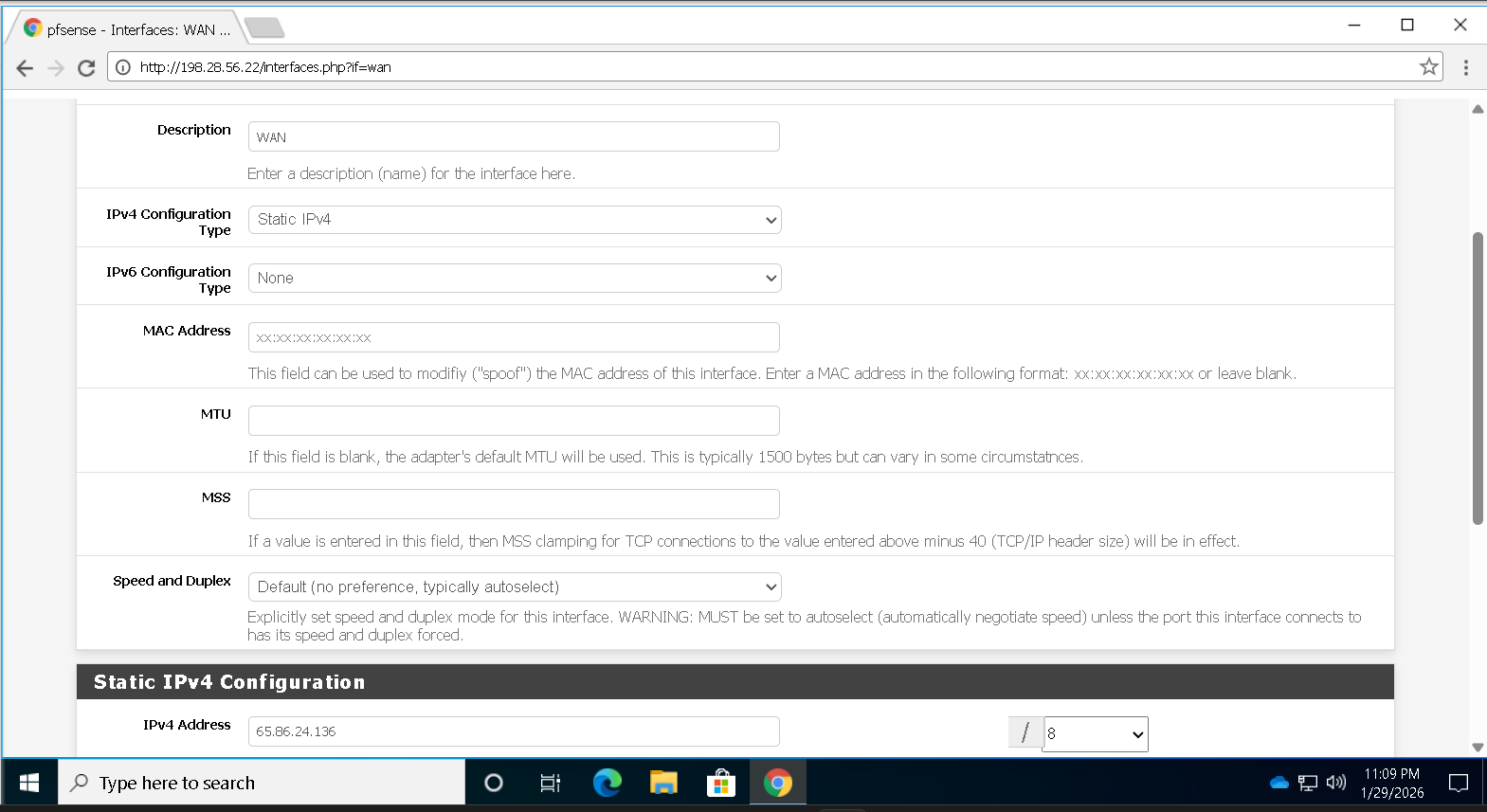
✅ ภารกิจที่ 3 — กำหนดค่า WAN IPv4
เปิดใช้งานอินเทอร์เฟซ (Enable the interface)
Static IPv4 Address : 65.86.24.136/8
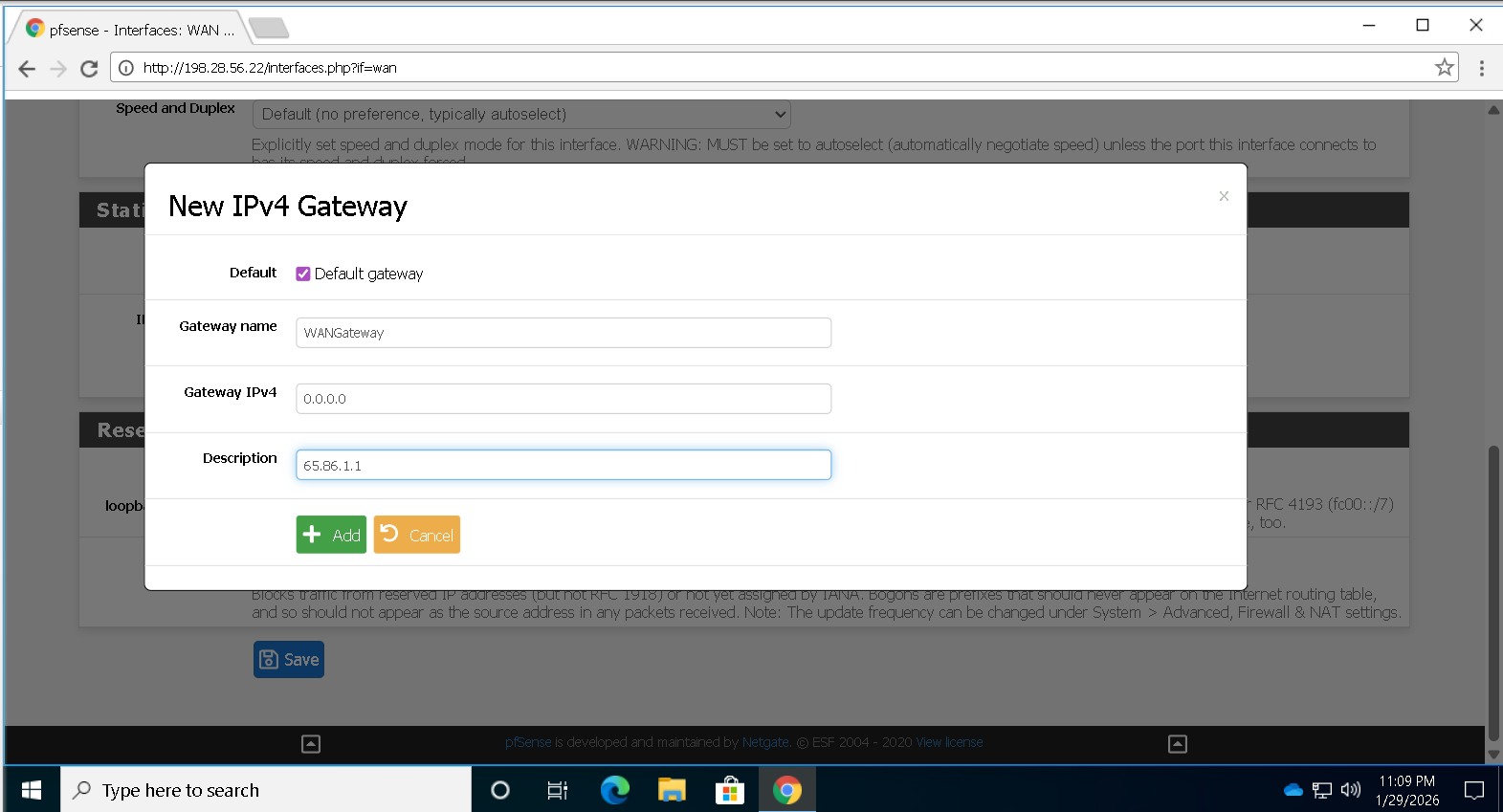
✅ ภารกิจที่ 4 — เพิ่ม Gateway
| รายการ | ค่า |
|---|---|
| Type | Default Gateway |
| Name | WANGateway |
| IP Address | 65.86.1.1 |
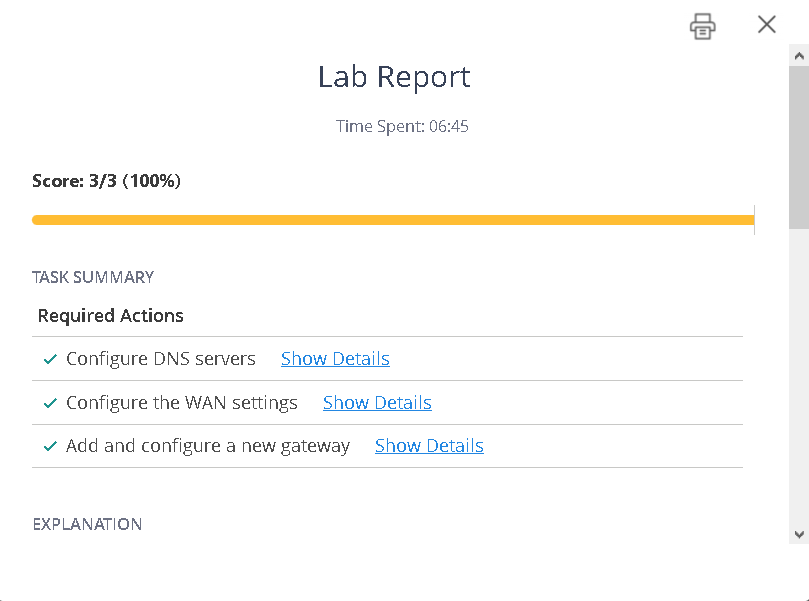
สำเร็จ ✔
จัดทำโดย IT Security Lab · อัปเดต 29 มกราคม 2569